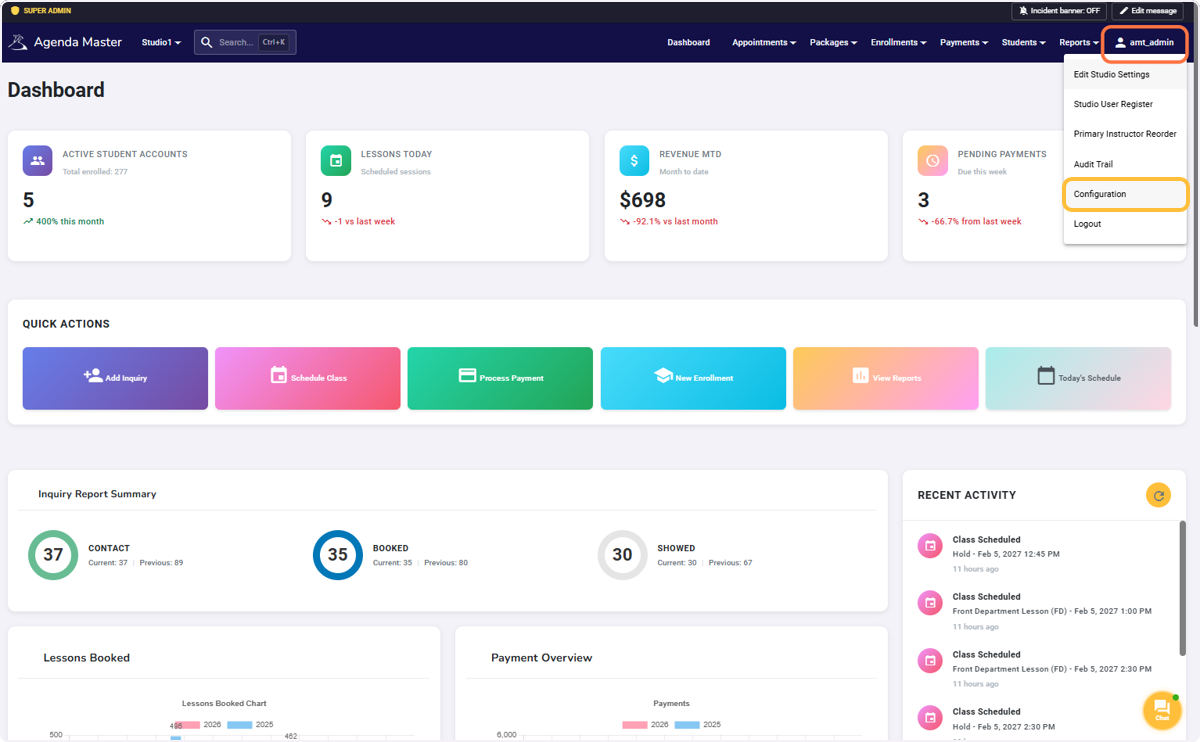
Click on your User Name and Configuration #
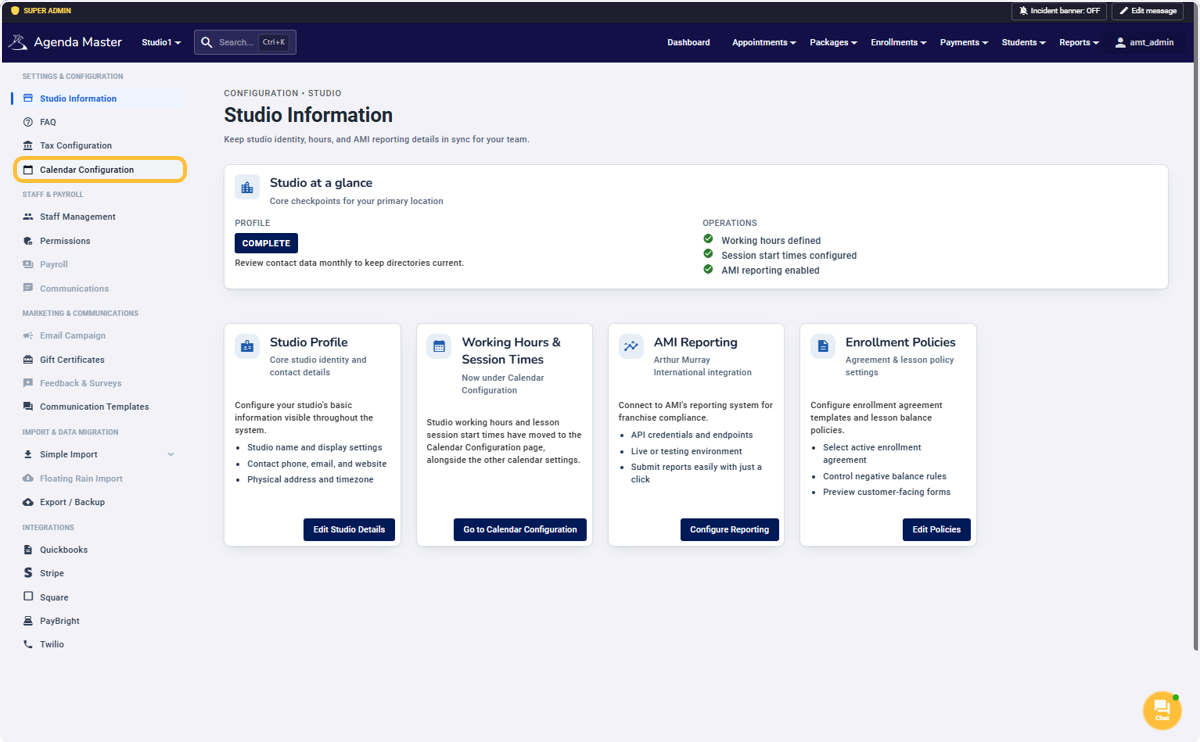
Click on Calendar Configuration #
Click on Colors #
Each Lesson Type, Service, Schedule, and Group Session can be adjusted to either match your current system, or be bold and start totally fresh!
Look through and change what you want. It’s a great way to familiarize yourself with the sessions that the new program offers.
**Most schools find that copying the Hex code from their current program makes the transition easier for the staff.
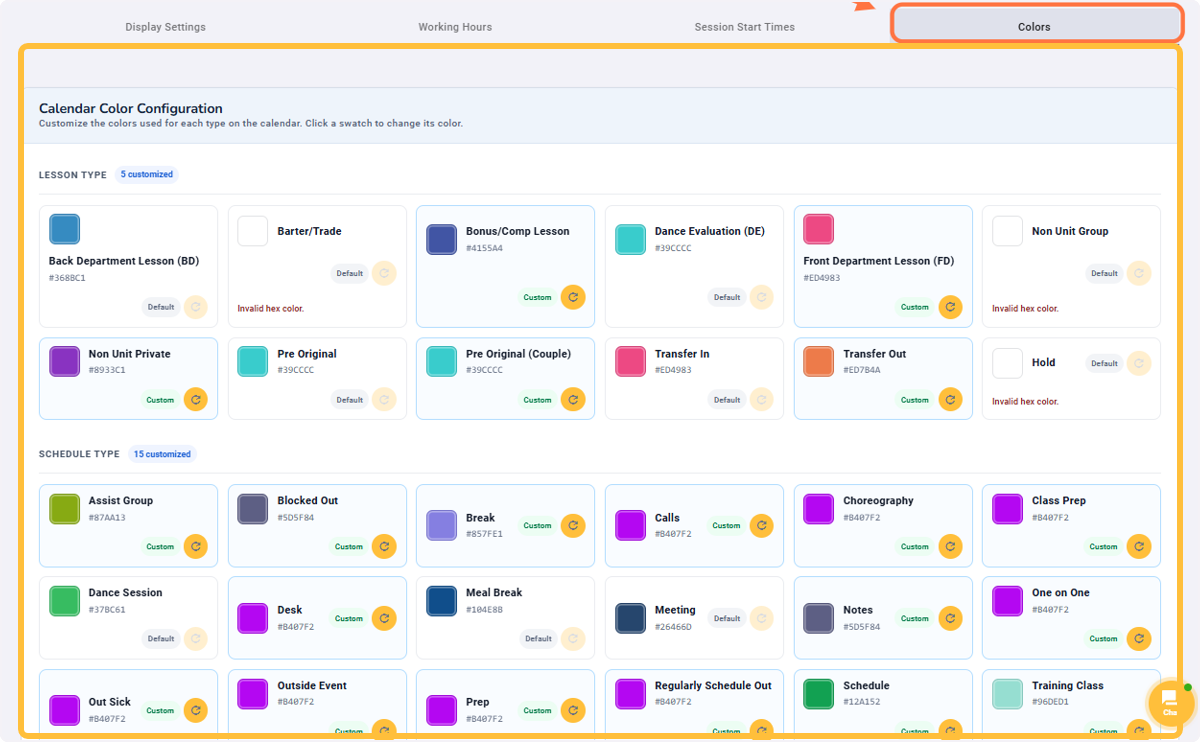
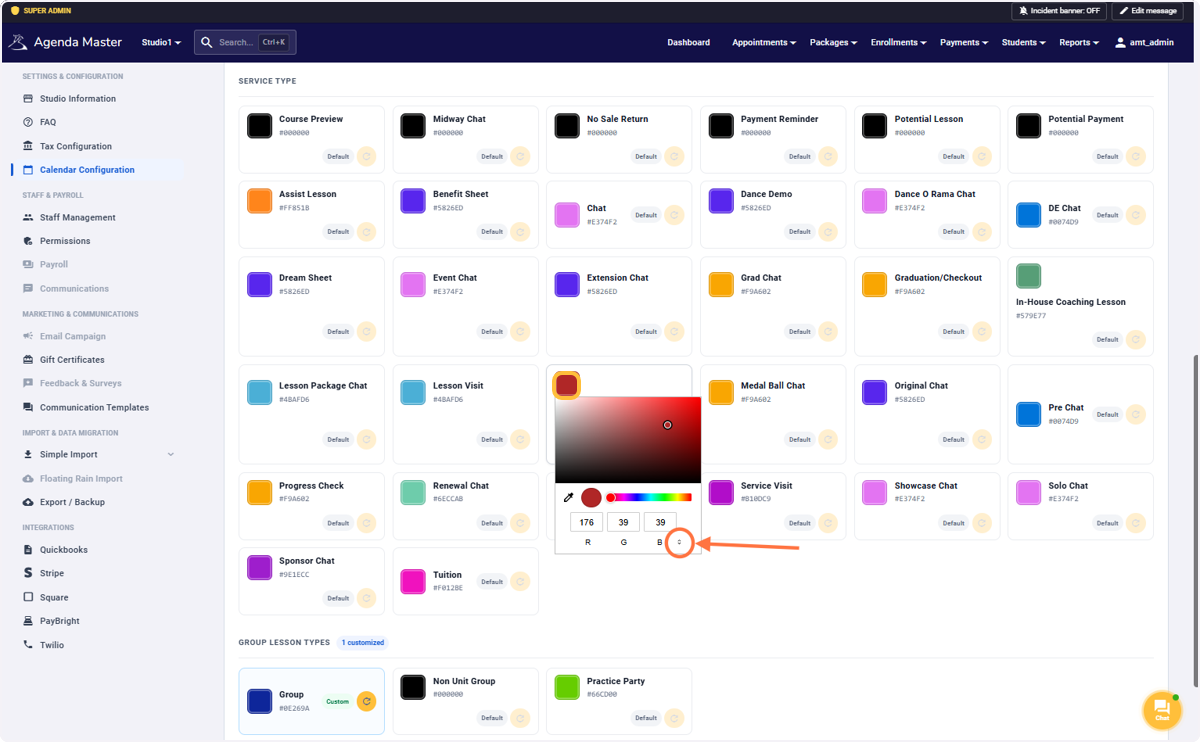
Just click the color to make a change. #
Change colors through RGB, HSL or Hex#’s
Have Fun!!
https://johndecember.com/html/spec/colorhex.html
Hex Color Codes | color-hex.org
Click on Update Colors when you’re happy with your choices #
If you won’t be using the session, don’t worry about changing the color.
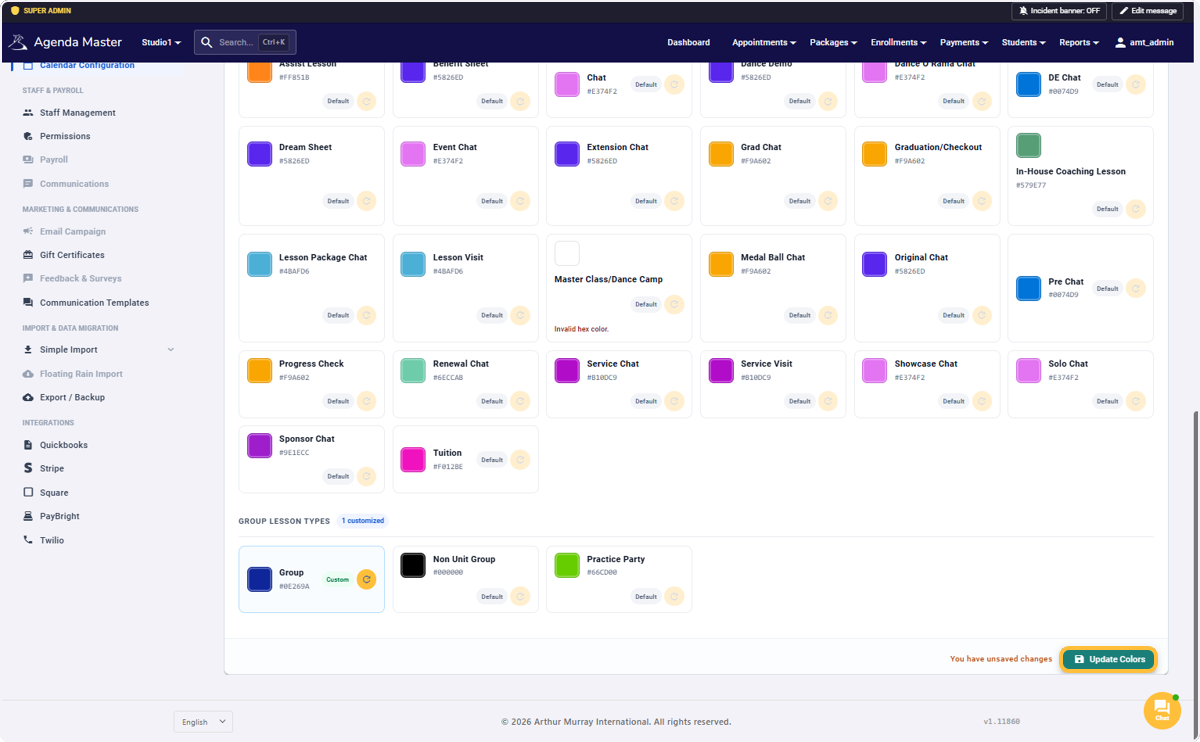
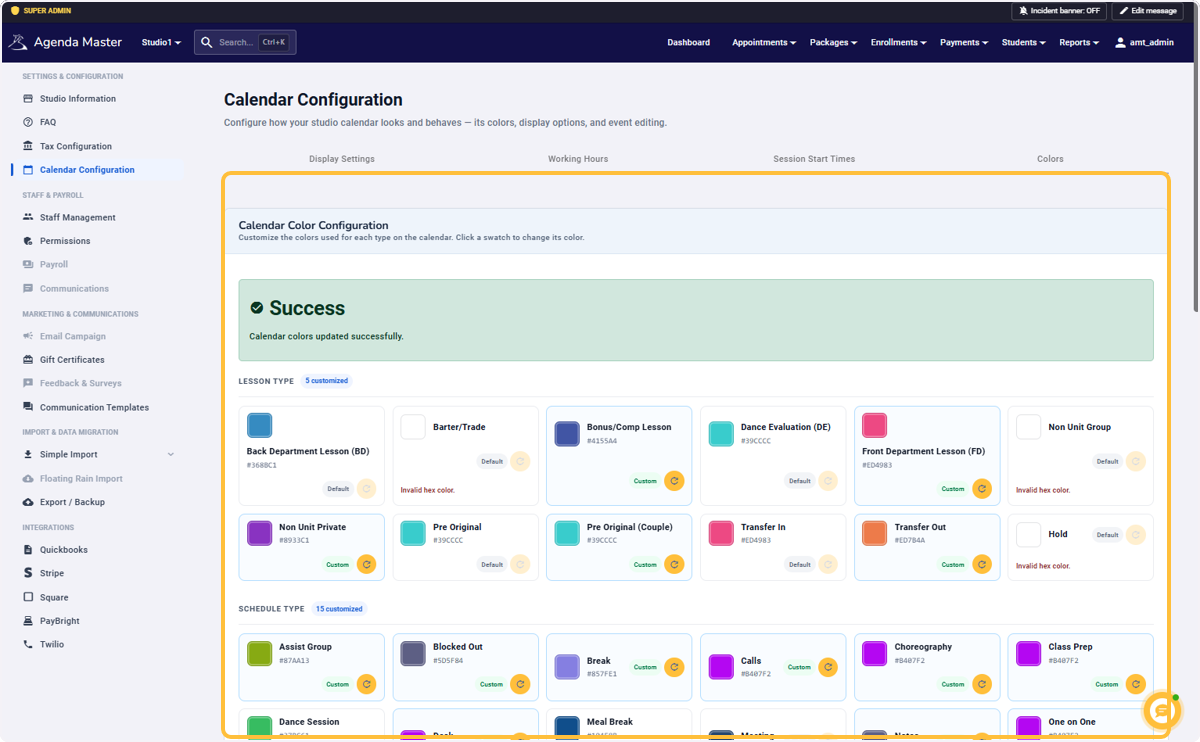
Success! #