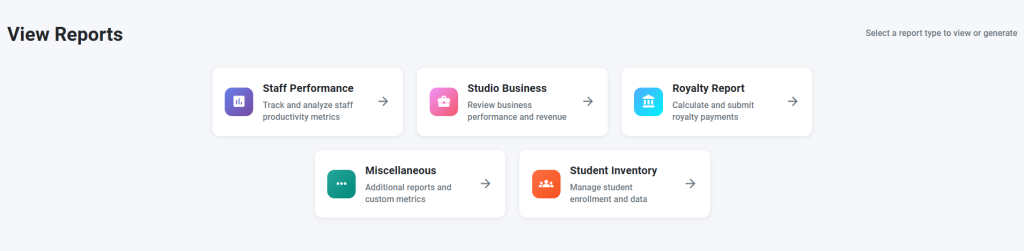
Here are all the types of reports (with descriptions and examples) that Agenda Master is capable of running for you.
AMI #
Here is where you will find the reports that need to be submitted to Arthur Murray International. There are the weekly reports; The Staff Performance Report, The Studio Business Report, and the Royalty Report. Along with the Miscellaneous Report and the Studio Inventory Report.
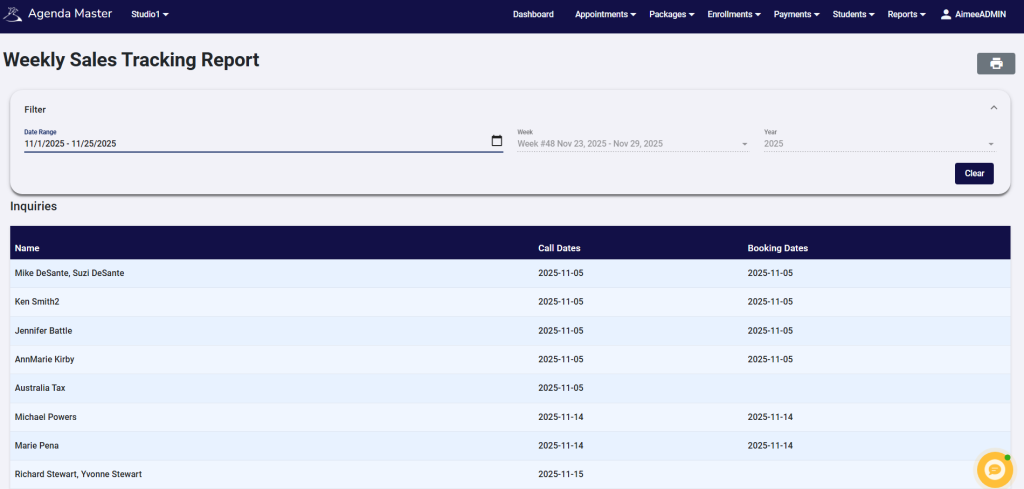
Weekly Sales Tracking Report #
Here you can view all sales data for a select date range. You can use the ‘date range’ filter to select any date range desired, whether it’s over select day(s), week(s) or month(s).
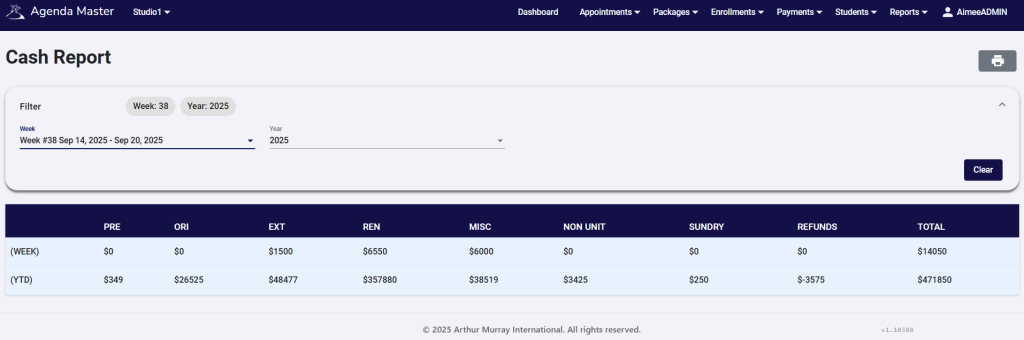
Cash Report #
This report will show you all cash brought in divided by sales type for the week selected as well as YTD.
Payments Due #
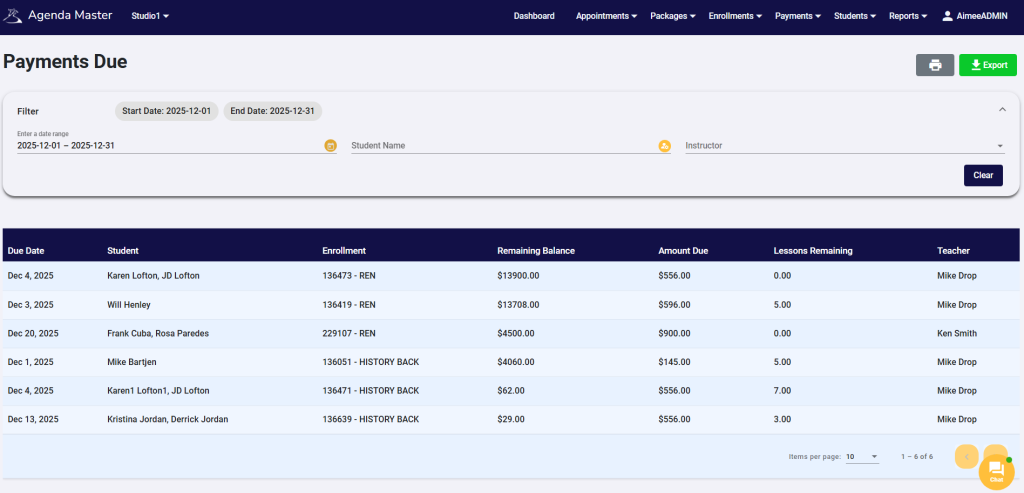
This report will show you upcoming Payments due, which Enrollment the payment is due on, what the remaining balance of the Enrollment is, and how many lessons remain on that Enrollment. The Payments can be filtered by date range, student name, or instructor.
Payments Past Due #
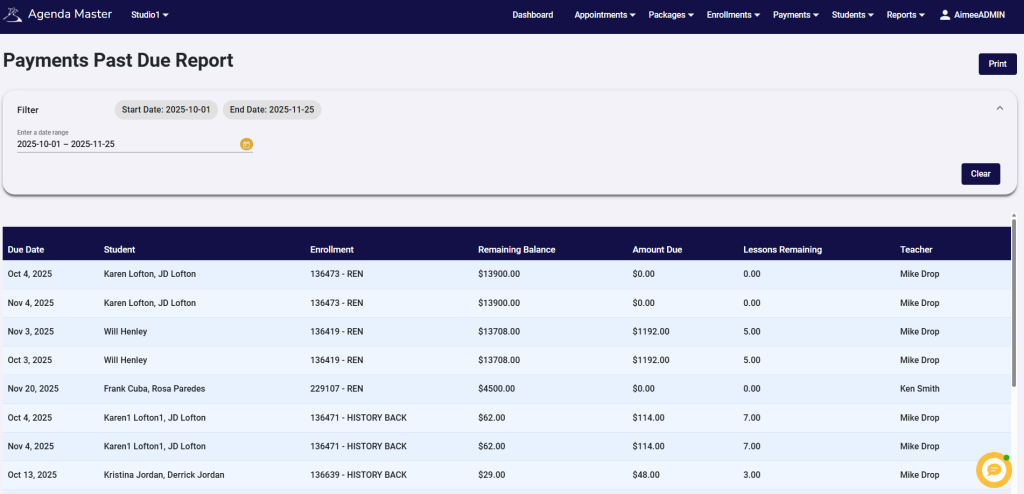
This report will show you Payments past due, which Enrollment the payment is due on, the amount of the payment that was due, and the remaining balance of that Enrollment. You can use the filter to select a date range to view past due Payments. You can sort by the different columns by clicking on the different header titles (Due Date, Student, Enrollment, etc.).
Payments Made #
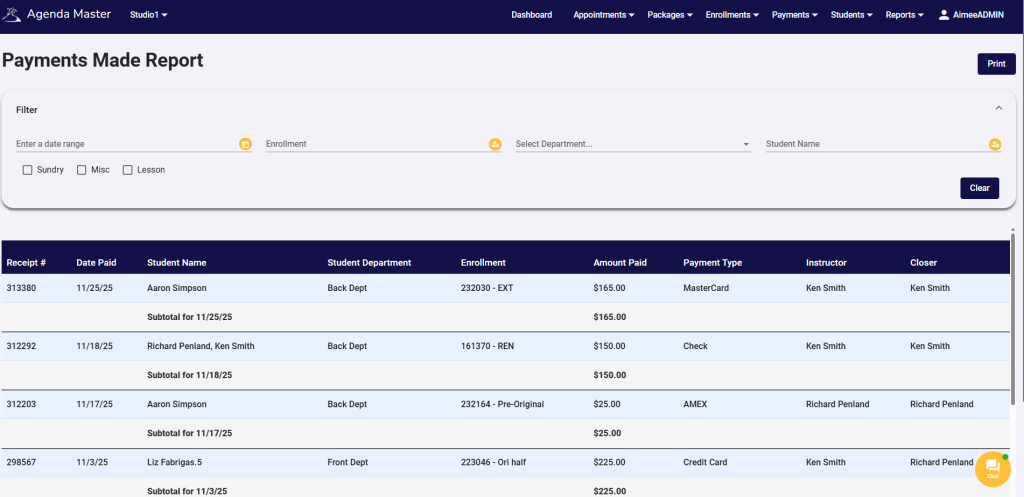
This report will allow you to see Payments made. You are able to filter by date range, Enrollment, department or student name. You can refine further by checking the boxes to see Sundry, Misc, or Lesson Payments.
Payments Made (Misc. Only) #
This report will show you all Miscellaneous Payments made. You can filter by specific Enrollment or department.
Inquiry Data #
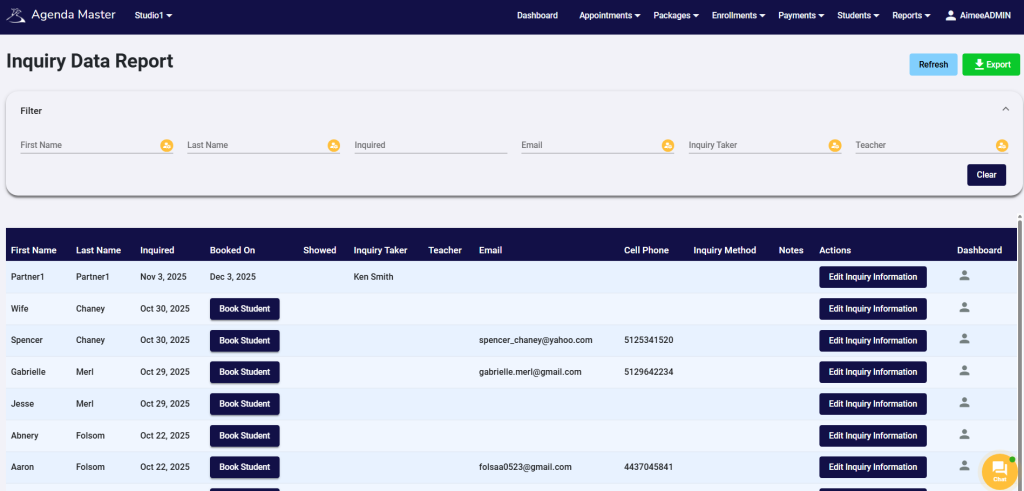
The Inquiry Data Report is where you can access and edit all inquiry information. There is a filter bar at the top that will allow you to refine your search. From this report you are able to see what date the inquiry is booked on, or directly book the inquiry from this report by selecting “Book Student”. This is also the place where you would edit any inquiry data. Select “Edit Inquiry Information” to adjust any personal information or add a partner.
US Sales Tax Report #
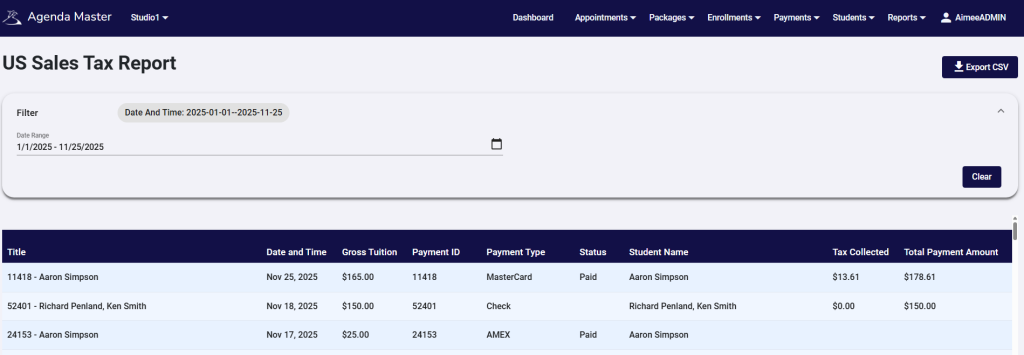
This report will show you the gross tuition broken down into tax collected and total payment amount. You are able to use the filter to select the date range you would like to view.
Enrollment Tracking #
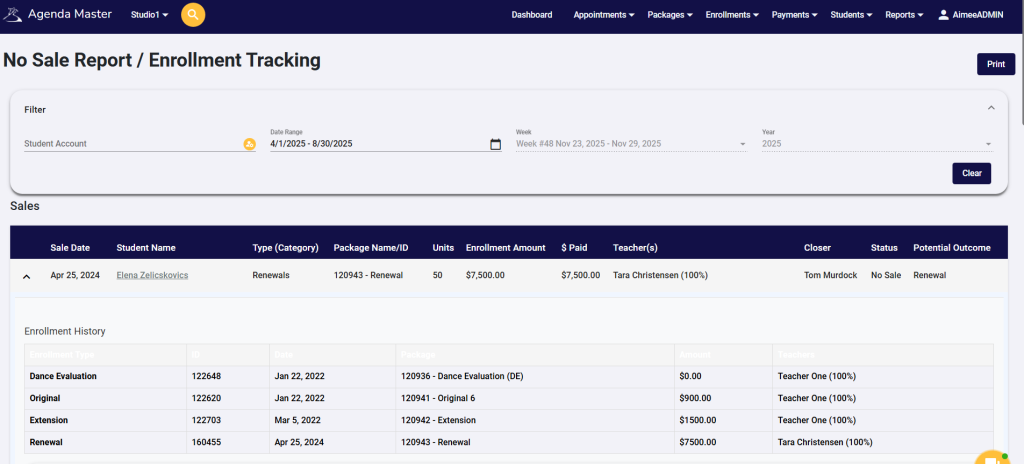
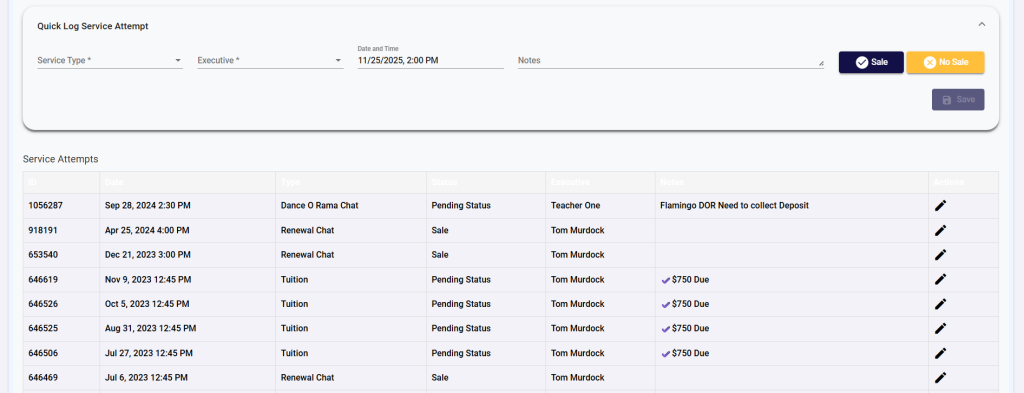
With this report report you are able to see a snap shot of a students Enrollment history, service attempts, as well as quickly log or edit a service attempt and enter any follow up notes for that sale/no sale. You can use the filter bar at the top to view by student account or date range.
Canceled Events #
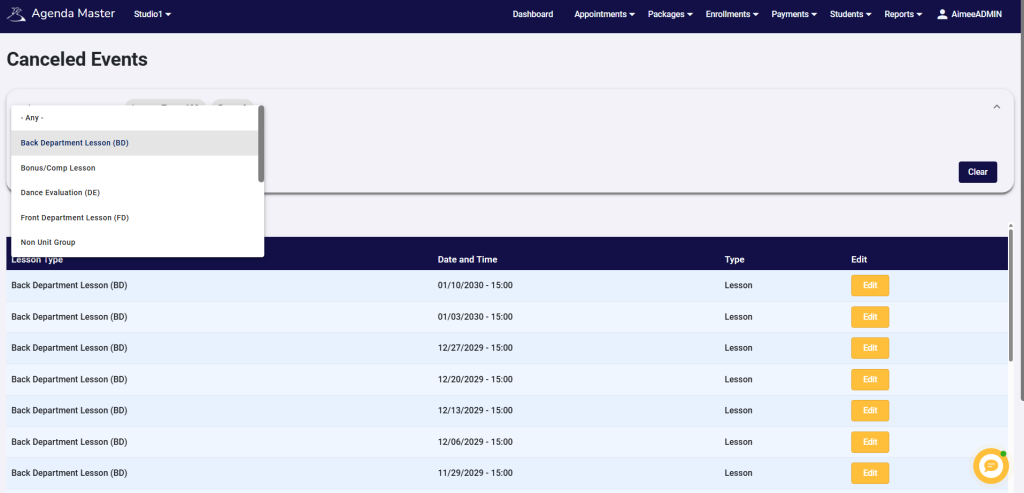
This report will show you all canceled events for a specified lesson type. Use the filter bar to select which lesson type you would like to view.
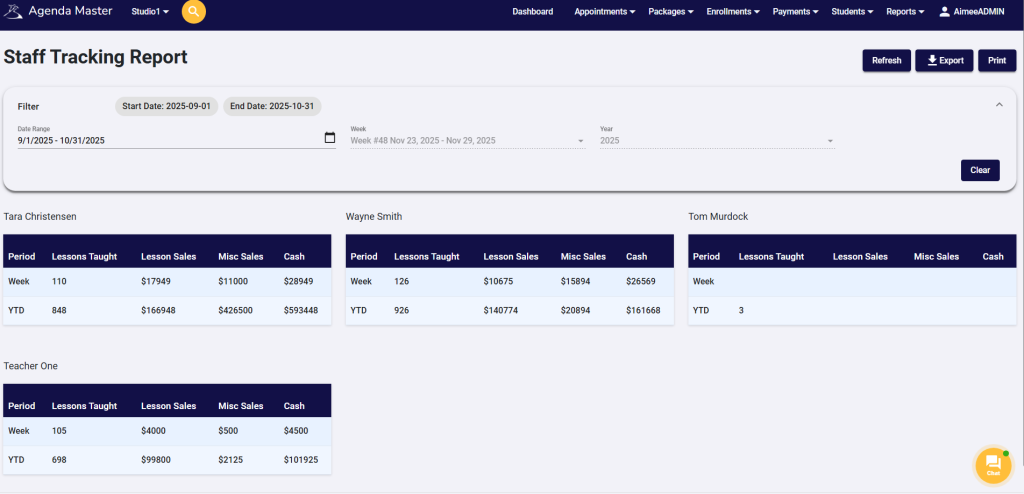
Staff Tracking Report #
This report will allow you to view lessons taught, lesson sales, miscellaneous sales, and cash in for each instructor over a specified timeframe. Use the filter to select the date range you would like to view.
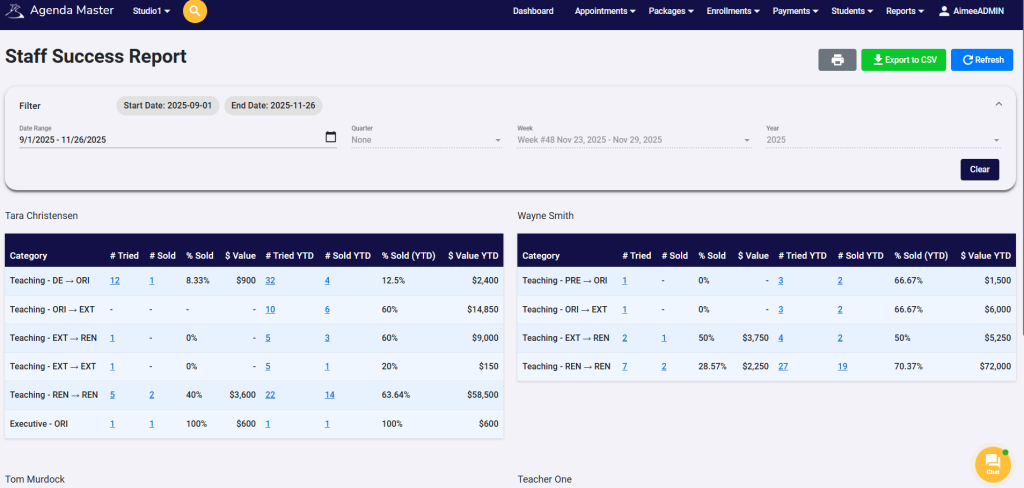
Staff Success Report #
This report will allow you to view tried/sold/percentages for all categories for a specified timeframe as well as YTD for each instructor and executive.
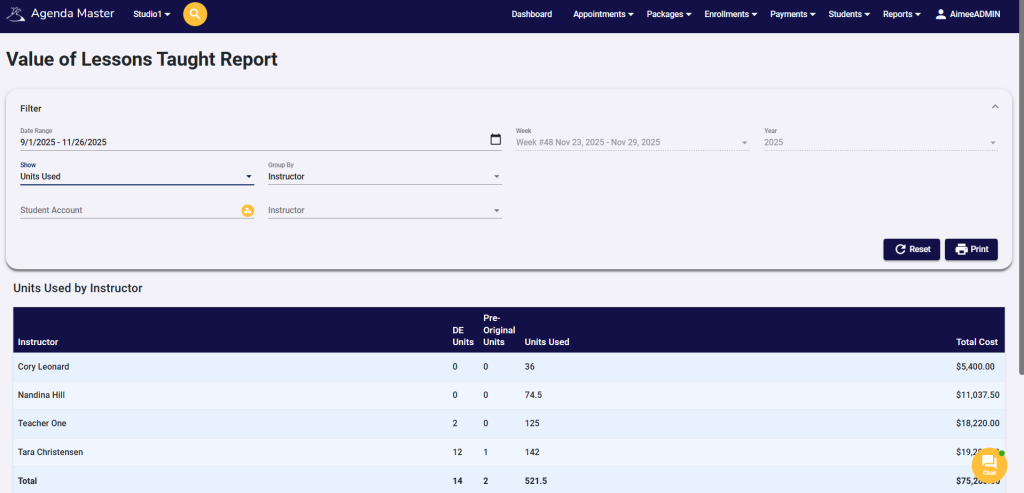
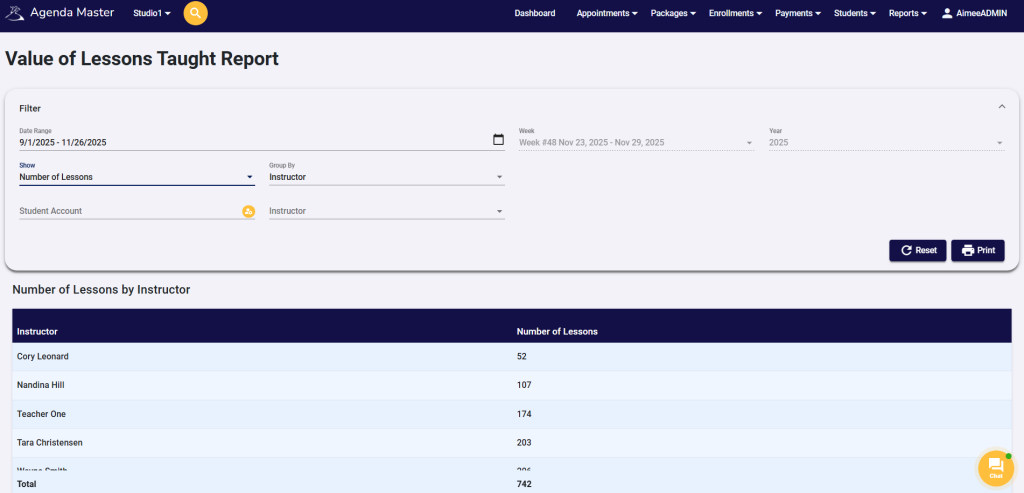
Value of Lessons Taught #
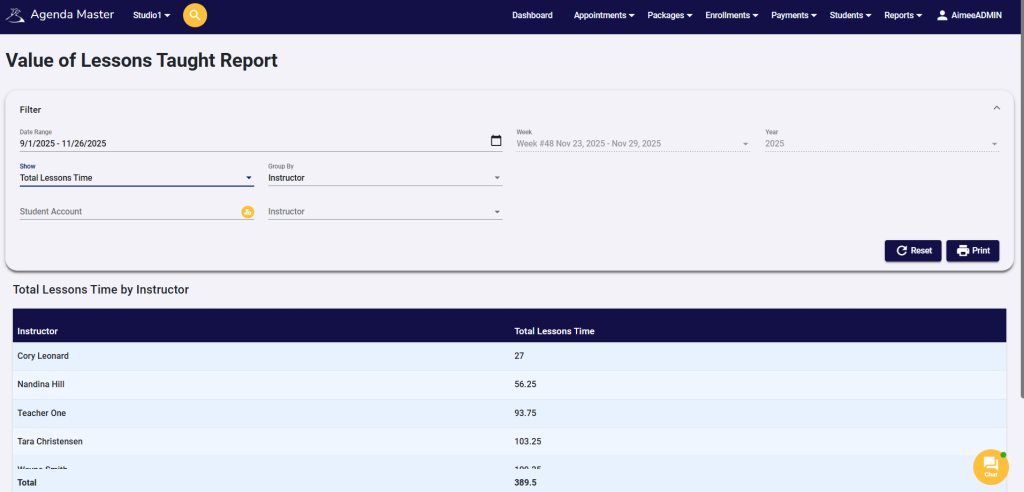
This report will allow you to view lessons taught by units used, number of lessons, or total lesson time for a selected date range. Use the filter to select your desired view.
Weekly Student Activity #
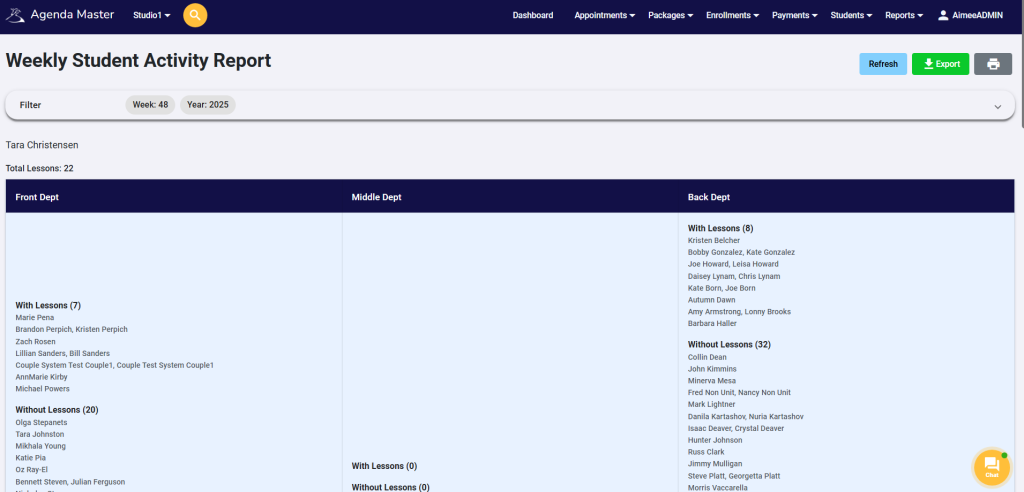
This report will allow you to view which students are booked and which are not, divided by teacher and department for a given week.
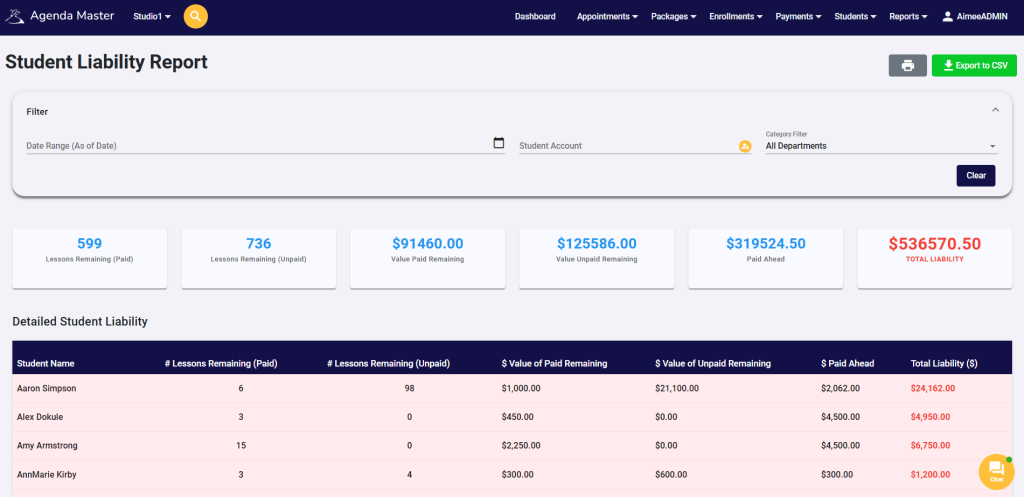
Student Liability Report #
This report will show you lessons remaining and paid and lessons remaining and unpaid. It will allow you to view the total value of lessons paid ahead and well as your total liability for your selected time range. You will be able to view the liability for each individual student account, any account with a liability greater than $1,000 will appear in red.