AMI Documentation

AMI Documentation

  • Docs
  • Glossary
betterdocs-category-icon

Getting Started

4
  • Configuring Appointment Colors
  • Demo Video
  • Migration Prep
  • Studio Information
betterdocs-category-icon

Packages

2
  • Create a New Package
  • Types of Packages
betterdocs-category-icon

Enrollments

3
  • Adding Available Lessons and Payments Due to Active Students
  • Create a Student Account
  • Creating An Enrollment
betterdocs-category-icon

Payments

4
  • Editing a Payment (Through Dashboard)
  • Editing Payment (Payments List)
  • Entering a Payment
  • Splitting Payments on Multiple Enrollments
betterdocs-category-icon

Inquiries

3
  • Add a Partner (to current account)
  • Adding an Inquiry
  • Create a Student Account
betterdocs-category-icon

Scheduling

5
  • Schedule a Group/Party
  • Schedule a Lesson
  • Schedule a Non-Unit Lesson (Coaching)
  • Schedule a Service
  • Staff Schedule Management
betterdocs-category-icon

Posting Lessons

3
  • Posting Groups/Parties
  • Posting Lessons
  • Updating Service Status
betterdocs-category-icon

Reporting

3
  • AMI Weekly Reports
  • Miscellaneous Service Report
  • Reports Directory
  • Home
  • Docs
  • Agenda Master
  • Payments
  • Editing Payment (Payments List)

Editing Payment (Payments List)

Table Of Contents
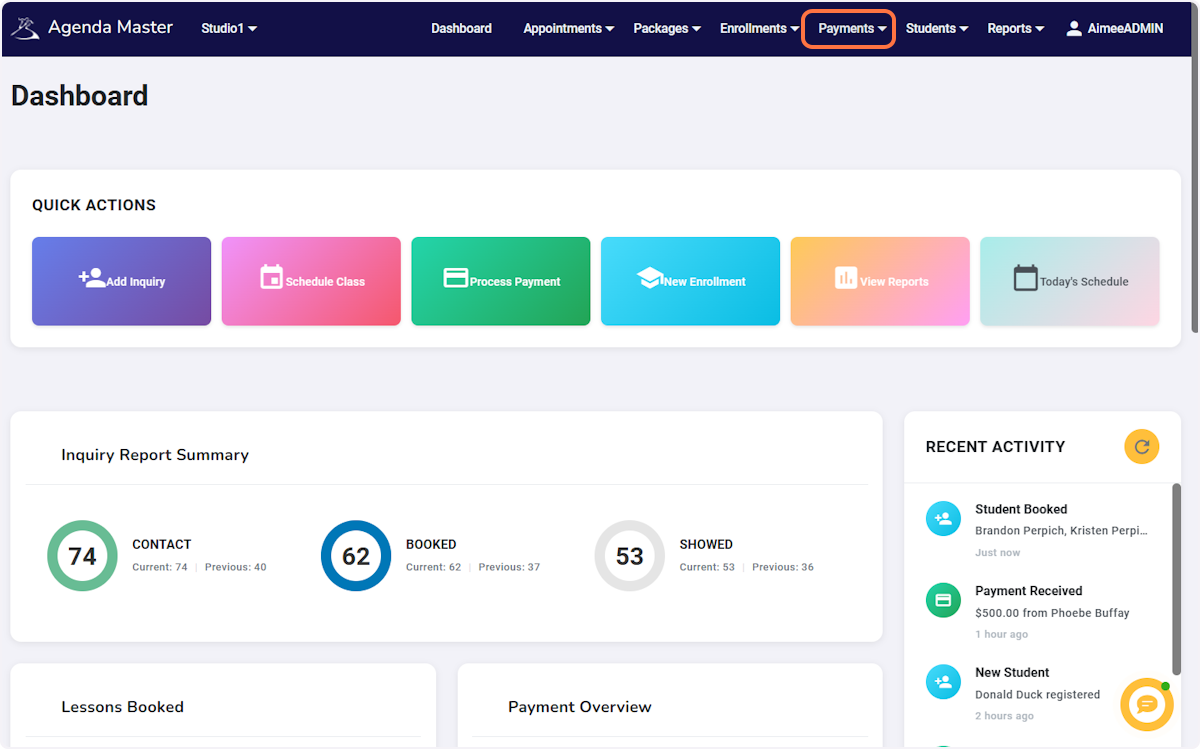
  • Click on Payments…
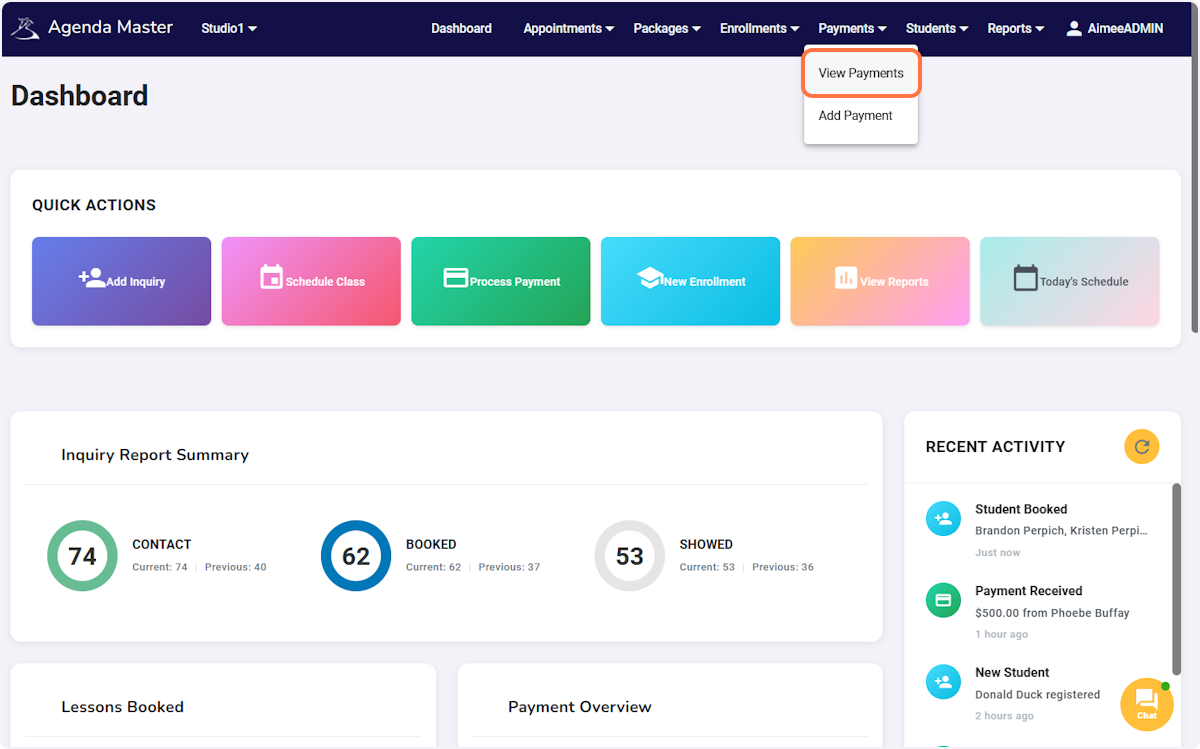
  • Click on View Payments
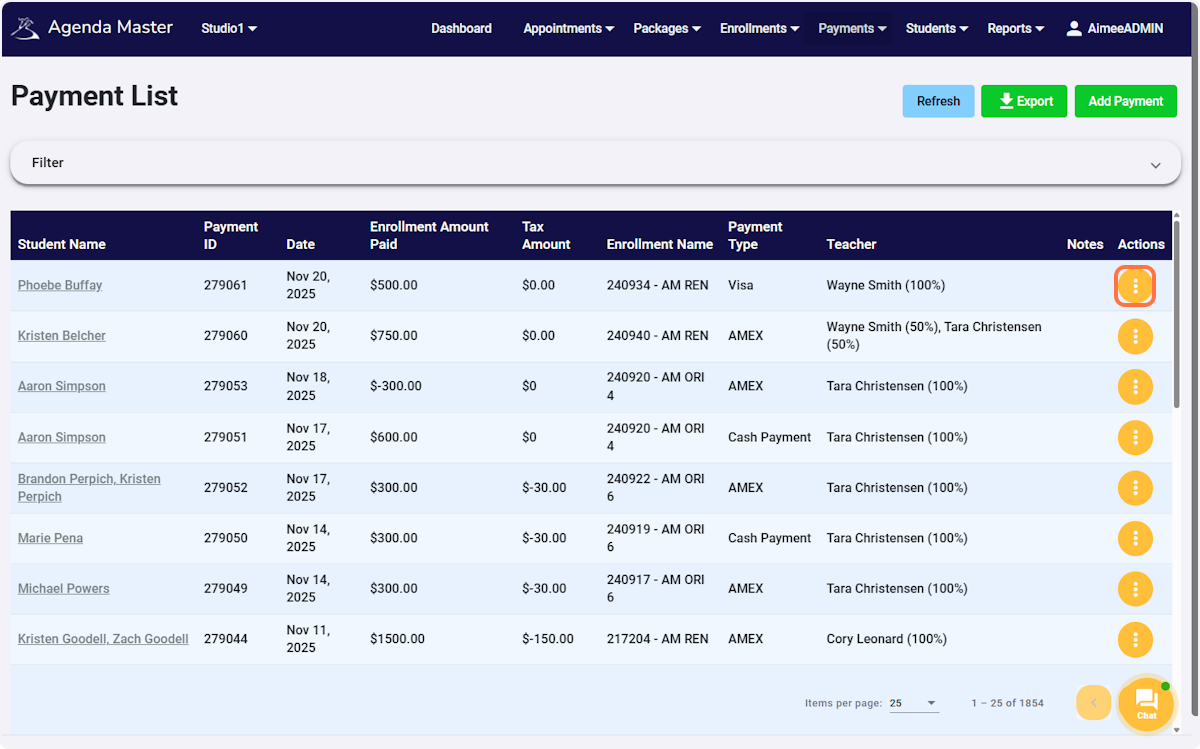
  • Click on the action button for the payment you would like to edit
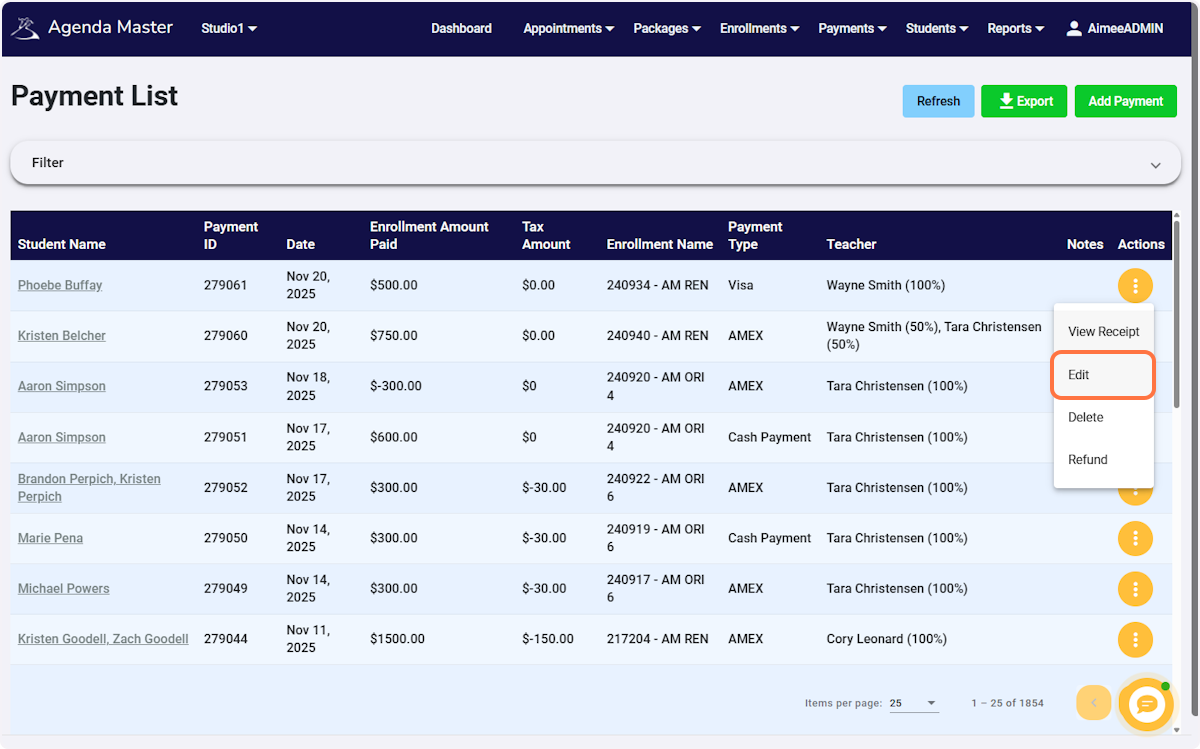
  • Click on Edit
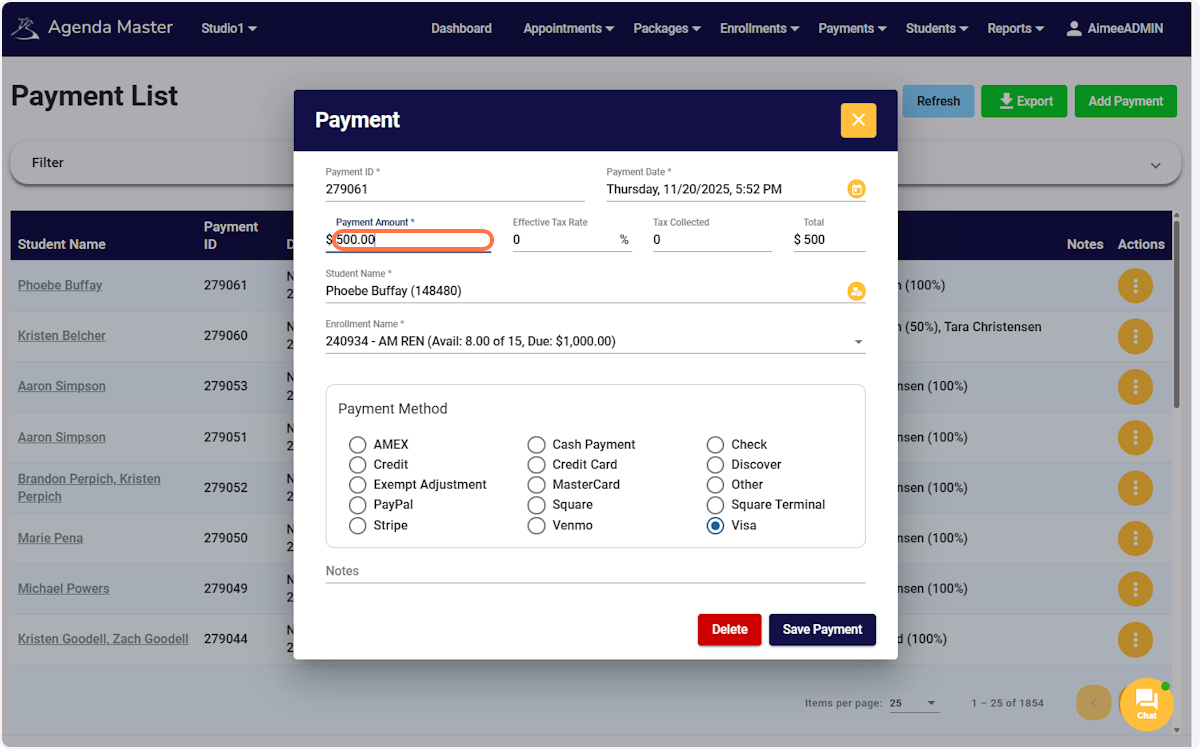
  • Edit the fields you would like to change
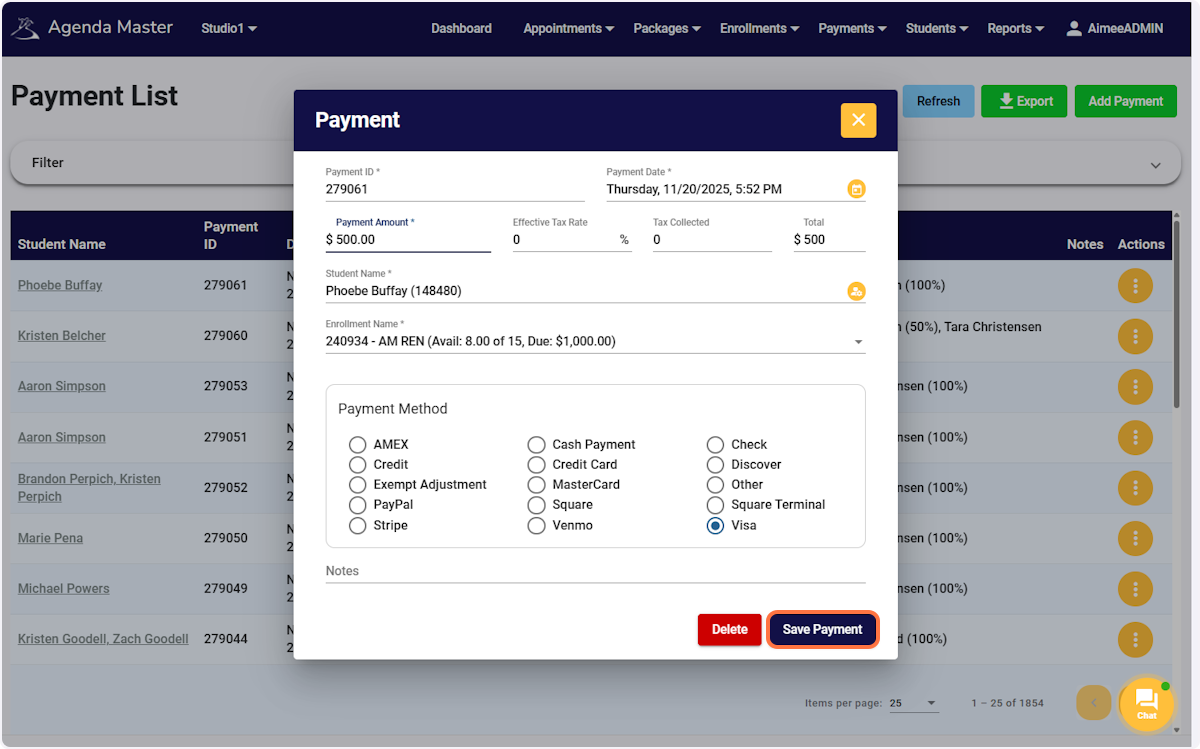
  • Click on Save Payment

Click on Payments… #

Step 1 screenshot

Click on View Payments #

Step 2 screenshot

Click on the action button for the payment you would like to edit #

Step 3 screenshot

Click on Edit #

Step 4 screenshot

Edit the fields you would like to change #

Step 5 screenshot

Click on Save Payment #

Step 6 screenshot

Was this helpful?

AMI Documentation

AMI Documentation

Knowledge Base for Arthur Murray DXP and Agenda Master Booking Software

Quick Links

  • Encyclopedia
  • Privacy Policy
  • Login

Search